Apple Authorized Service Provider Oshawa Toronto
Follow Us

Monthly Archives : May 2019

How can I check if my warranty?

How can I check if my Apple product has warranty?

You may not be sure of the exact date of purchase of your Apple product. The good news is you may not need to dig out that receipt from the depths of your basement.

Usually the date of purchase on Apple’s record is pretty accurate, that means when you come in for your appointment, we will run your serial number through Apple’s system and verify your warranty information. However, there are these rare cases when the date of purchase does not match what is in Apple’s records. In this case a proof of purchase may be required to verify your warranty information.

You can also check your warranty by entering your serial number into the link provided https://checkcoverage.apple.com/ca/en/

No warranty? No problem! Our technicians will run diagnostics on your out of warranty Apple products and provide you with a quote for repairs and/or replacement.


Brittany E
Front Office Representative

ical

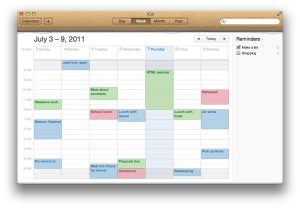
What To Do If Mac Calendar (iCal) Is Not Finding Events

When I search in my calendar the events do not show up!

This can be an issue with the Spotlight indexing, I would suggest to re-index the spotlight index. This can be done with the following command in terminal:

sudo mdutil -i on /

The other way to do it is to exclude your hard drive form the spotlight search in system preferences, restart the computer, then remove it from the excluded list:

spotlight

This will take a while and searching will not work properly until the indexing is complete. If the problem still persists after the drive has been re indexed it can be an issue with the hard drive of the machine. Run a disk check to verify if there is a problem or not and replace the drive if necessary.

If you are still having a problem with that, give us a call and we will be happy to help


Daniel Galant

Apple certified Support Professional