Apple Authorized Service Provider Oshawa Toronto
Follow Us
Home/blog/Battery Percentage to show in Your Mac’s Menu Bar
How to Display the Battery Percentage in Your Mac’s Menu Bar

Battery Percentage to show in Your Mac’s Menu Bar

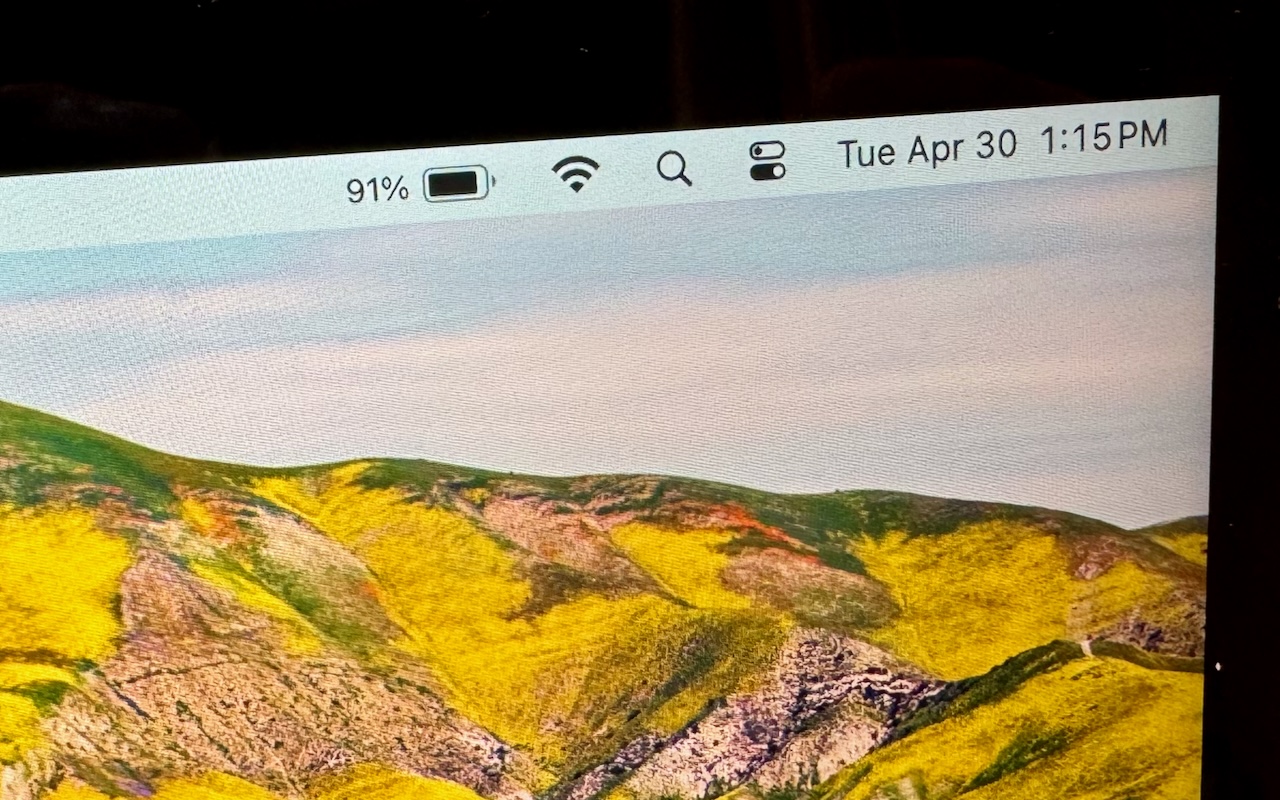
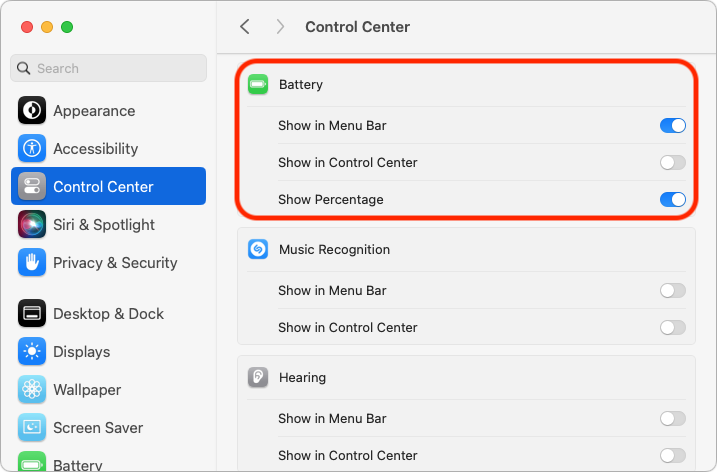
The battery icon in your Mac laptop’s menu bar shows how full your battery is. Clicking it reveals the exact percentage, but you can also set macOS to display the battery percentage next to the icon. The setting isn’t where you might expect it to be in System Settings > Battery. Instead, you’ll find it in System Settings > Control Center, where you need to turn on both “Show in Menu Bar” and “Show Percentage.”
 

Written by

Our philosophy is to be responsive, thorough, transparent, and reliable. Our promise is that with our support, you won’t need to call on us often, but when you do we’ll be there, any time. Like Apple, we believe that we are a smart strategic investment for your business.

Leave a Comment